
EN / HKD

Login
BM Pack
ShopCase StudiesGet InspiredMemberOur Story

How to Upload a File

Design your custom packaging using our die-cut template and upload your artwork.
1
Download Die-Cut File

When it comes to shopping and designing your custom packaging, you will hear the term “die-cut” shot around quite often! Die-cut is basically a blueprint for your packaging design, where it will be outlining all the perforations, cuts and folds of the package in 2D, so it's easier for you to visualise and format art work designs to fit your exact packaging.

Select your packaging type:

Folding Mailer Box (FMB1)
Mailer Box (MB1)
Shipping Box (SB6)
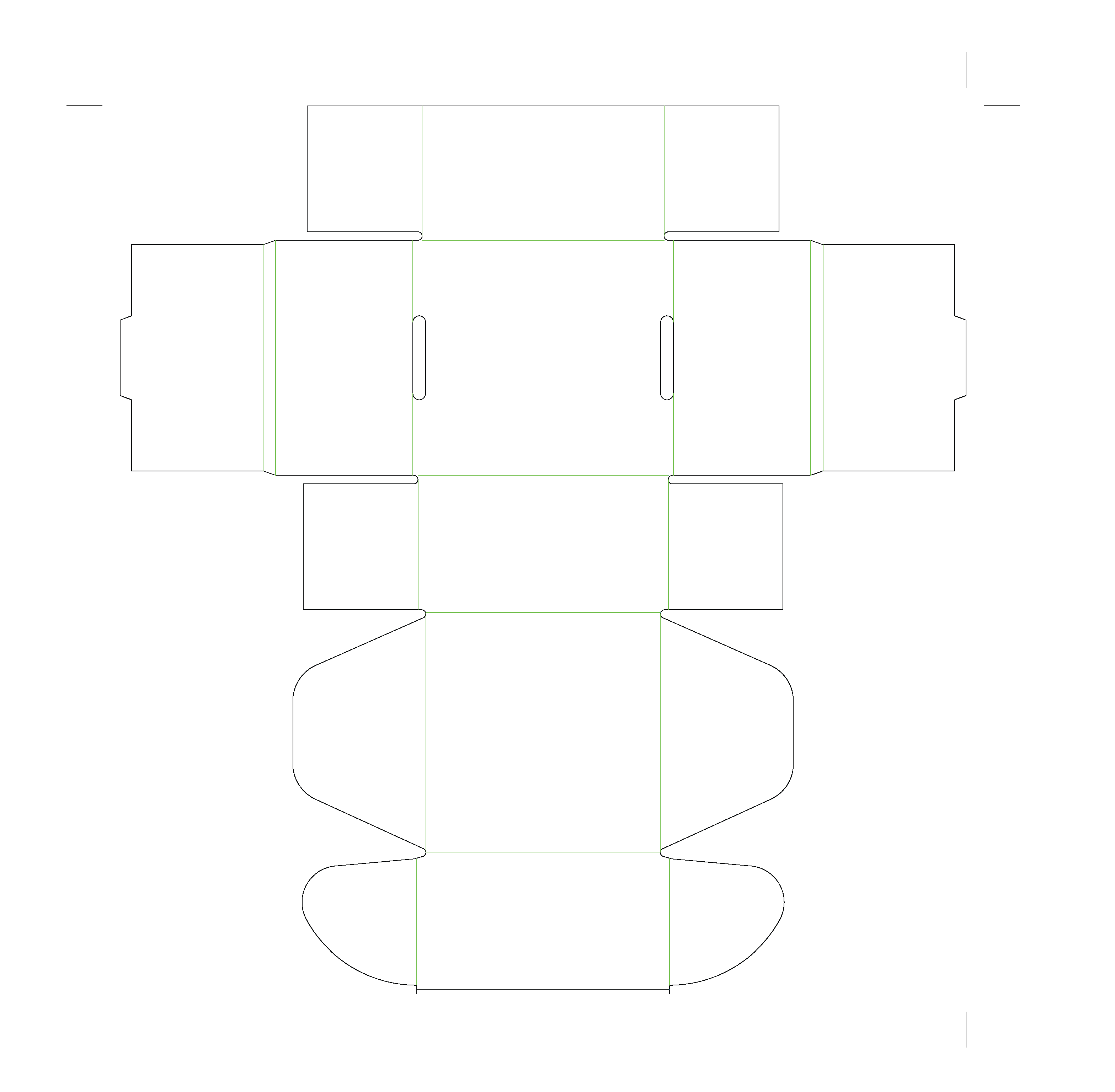
Folding Mailer Box (FMB1)
Download Die-Cut (PDF)
2
Follow the Guidelines and Design Away!

To avoid errors during the printing process, please follow the guidelines in the Die-Cut Tutorial. If you're new to packaging design, our team of professionals is here to help.

Design Checklist
  • CMYK colouring and 3mm external bleed on all sides

  • All texts are outlined

  • Layers have been created for add-ons

Need help? Get a Custom Quote
3
Upload Your Design

Make sure you're uploading the correct file!

Upload File Here

File Format: AI or Editable PDF

Not sure which template to use?

Talk to Our Team
BM Pack

Let us help your business grow.

CustomisationMailer BoxesProduct BoxesRigid BoxesPaper BagsShipping BoxesAccessoriesFillers

+852 9848 2227
hello@bmpack.com
VisaFPSMastercardSME Certification
FacebookInstagramWhatsAppLineEmail

Subscribe to our newsletter


Room 1409, Austin Tower, 22-26 Austin Ave, Tsim Sha Tsui© 2026 BM Pack. All rights reserved.